
Work orders entered in your property management/strata management system are synced to AIM at regular intervals (usually each night - depending on your system)
If AIM finds a reference to a matching work order on an invoice, it will be matched to the work order.
Straight through processing (STP) rules can be set for work orders.
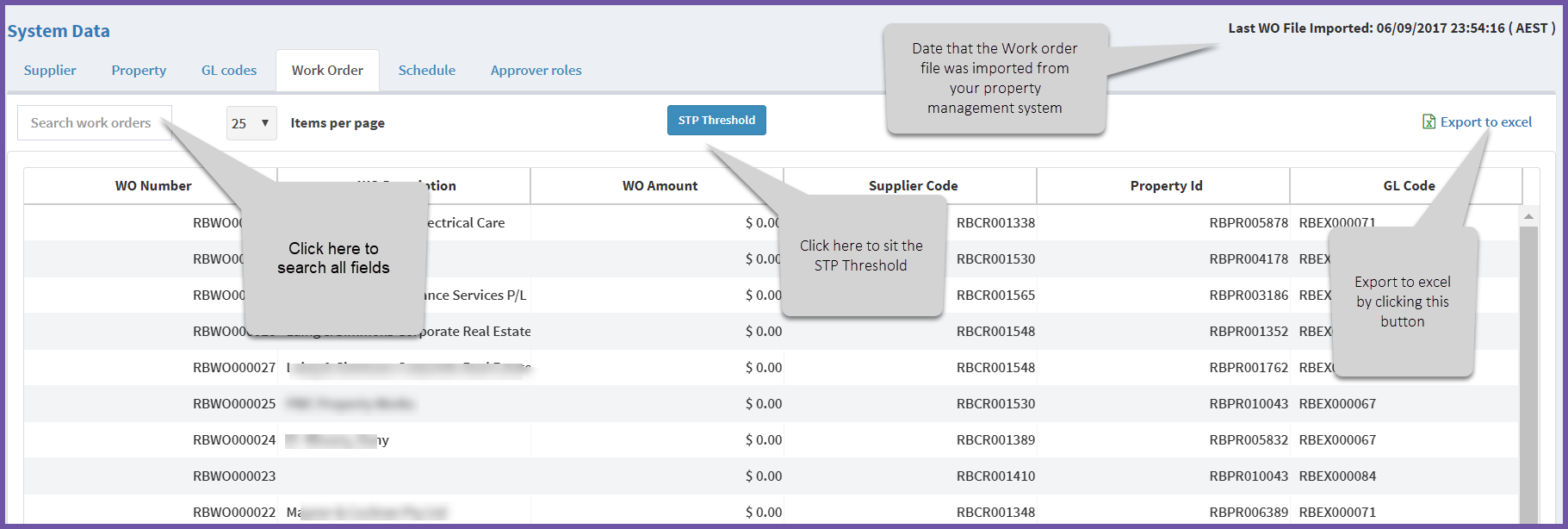
Setting the STP
To set the STP, click on the blue STP threshold button.
The STP threshold dropdown box will appear
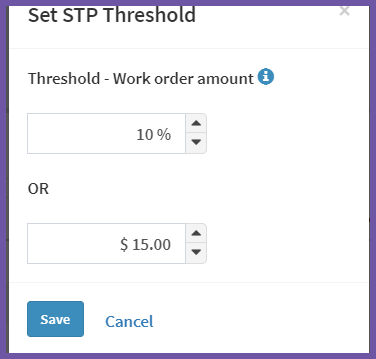
You can choose either $ or % amount or both.
Comments
0 comments
Article is closed for comments.